
MCP-ready: A guide to building trust in AI-powered workflows
Summary: The PowerMetrics MCP server turns your metric catalog into a live, queryable data layer for any AI tool. Learn how it works, what you can do with it, and how to connect it to Claude, ChatGPT, Cursor, Gemini, n8n, Zapier, or any MCP-compatible AI agent.
Decisions don't wait for dashboards anymore. Decisions happen in Slack threads, morning standups, AI chat windows, and automated workflows — often without a single verified number in sight.
That's the problem the PowerMetrics MCP server solves. It turns your data into a live, queryable data layer that any AI agent or tool can access, so every answer your team gets is grounded in metrics that are properly defined, consistently calculated, and business-approved.
Not raw database tables. Not spreadsheet exports. Actual trusted metrics, with context — wherever the work happens.
What is an MCP server?
An MCP (Model Context Protocol) server is an open standard that lets AI agents connect to external data sources and tools through a secure, structured interface. Instead of copying data into a chat window or uploading a CSV, your AI queries a live source directly — and gets back answers it can actually reason about.
The PowerMetrics MCP server implements this standard to expose your metric catalog, knowledge graph, and tag management system to any compatible AI tool. The result: your AI speaks the same data language your business already agreed on.
Why ungoverned data in AI is a real risk
When someone asks an AI assistant a business question today, the AI draws on whatever context it has available. If that context is a pasted spreadsheet, a screenshot, or a vague verbal description of "last quarter's numbers," the answer reflects that uncertainty.
The downstream effects compound quickly:
- Conflicting metrics across teams erode trust in reporting
- Undefined terms like "active customer" or "monthly revenue" mean different things to different people
- No audit trail makes it impossible to verify where a number came from
- Stale data leads to decisions made on yesterday's reality
AI amplifies whatever data quality you feed it. Good inputs produce confident, accurate answers. Poor inputs produce confident, inaccurate ones — and that's harder to catch.
PowerMetrics with MCP addresses this at the source. Your metrics are defined, certified, and governed before any AI ever touches them. The semantic layer travels with the decision.
How the PowerMetrics MCP server works
The PowerMetrics MCP server is built on the open MCP specification and communicates with AI agents using secure HTTP streams. It connects to the PowerMetrics API, knowledge graph, knowledge base articles, and tag management system — then returns answers in natural language.
AI agents interact with your data through four channels:
| Channel | What it does |
|---|---|
| Metric queries | Query numerical performance data directly from your PowerMetrics account |
| Knowledge graph queries | Access semantic relationships, definitions, and metadata between assets |
| Knowledge base articles | Draw on verified product documentation for accurate procedures and context |
| Tag management | Apply and remove asset tags automatically based on AI-driven instructions |
Metric queries: live numbers, on demand
When an AI agent queries your metrics, it accesses everything you track in PowerMetrics — with the definitions and configurations already applied. The agent doesn't see raw database rows. It sees a metric called "Monthly Recurring Revenue," calculated the way your team agreed, with the filters and date logic already baked in.
Knowledge graph queries: understanding relationships
The knowledge graph is what makes PowerMetrics more than a data store. It maps the relationships between every asset in your account. An AI agent can answer questions like:
- "What data feeds are powering this metric?"
- "What operands are included in this calculated metric?"
- "Which metrics live in which dashboards?"
- "Who has access to this metric?"
This relational context is what separates a trustworthy AI answer from a plausible-sounding guess.
Tag management: keeping your catalog clean
The MCP server also connects to your tag management system. AI agents can apply and remove asset tags automatically — which means catalog hygiene doesn't have to be a manual chore.
What you can do with the PowerMetrics MCP server
Here are three practical ways teams are putting this capability to work.


Conversational analysis grounded in real data
Ask your AI a business question like: "Based on our current growth trajectory, what's our projected year-end revenue?" Instead of reasoning from whatever data it can infer, the AI queries your actual metric history in PowerMetrics — including seasonal patterns and the relationships already modelled in your account. The answer reflects your business, not a generic estimate.
This works for any question your metrics can answer: churn trends, pipeline velocity, support volume by region. The AI becomes a genuine analyst, not a confident guesser.
Proactive catalog hygiene
Keeping a metric catalog clean at scale is tedious. With MCP, you can instruct your AI: "Find all metrics related to the Q3 pilot and tag them as #Regional-Beta." The AI navigates your knowledge graph, identifies the relevant assets, and handles the tagging automatically.
What used to take a data manager an afternoon now takes a single prompt.
Always-on executive summaries
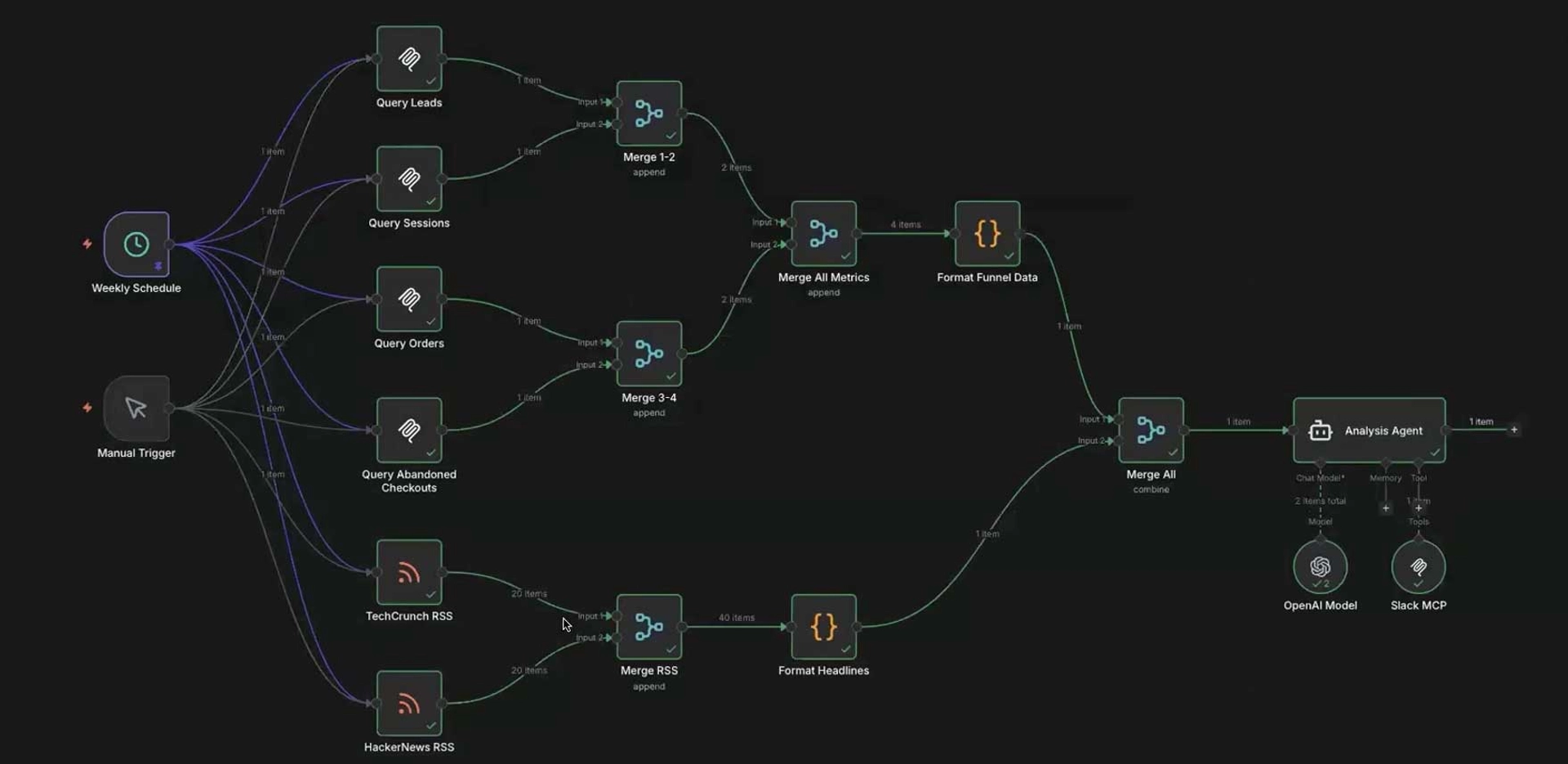
Connect PowerMetrics to automation tools like n8n or Zapier and build a workflow where your AI checks your metrics every morning and compiles a leadership summary. No manual pulling. No copy-pasting. Every insight is grounded in your actual certified data, delivered before the first meeting of the day.
This is the shift from reactive reporting to always-on intelligence.
Connecting the PowerMetrics MCP server to your AI tool
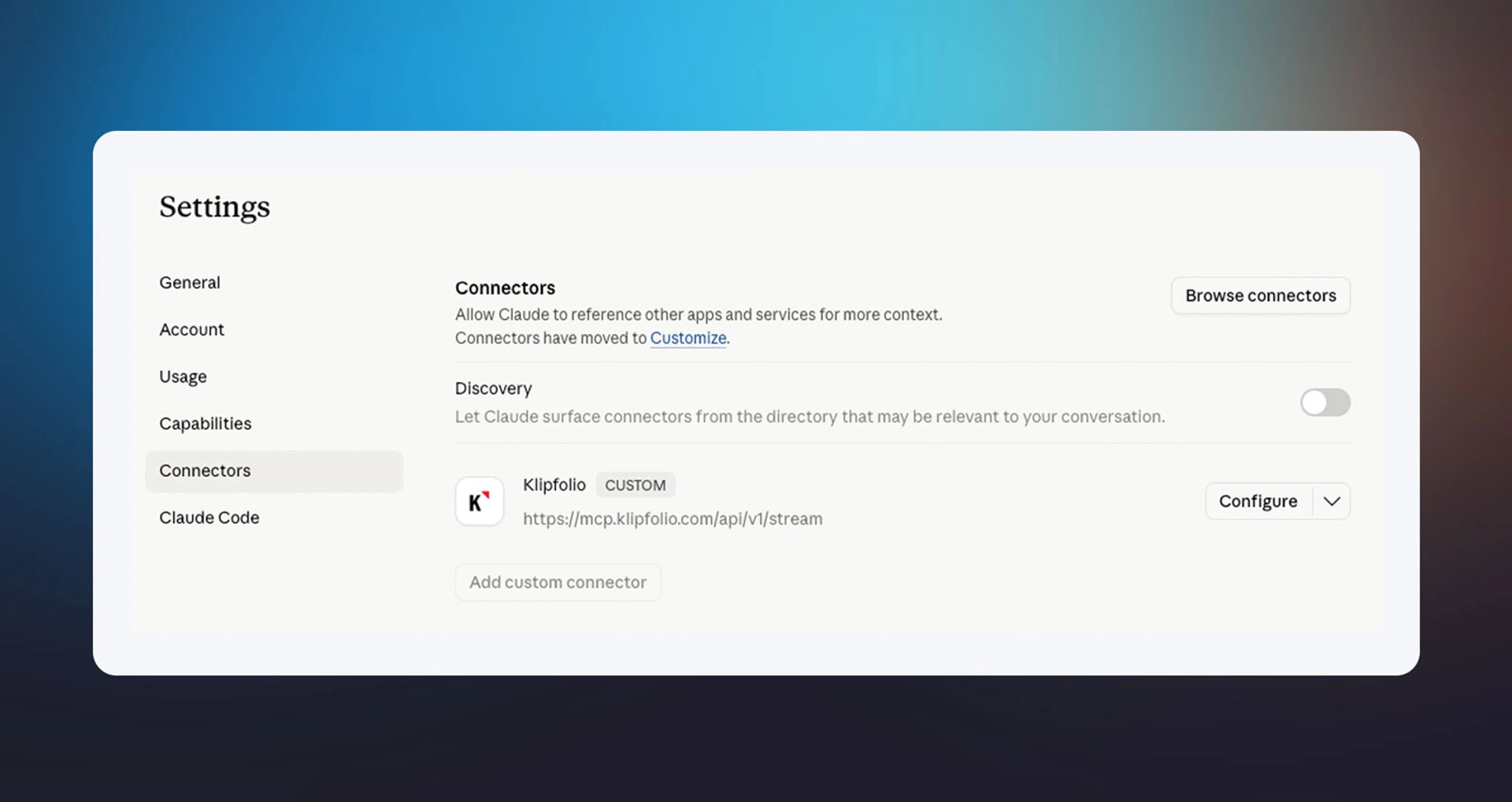
The PowerMetrics MCP server can connect to Claude (Web and Desktop), ChatGPT, Cursor, Gemini and Gemini CLI, n8n, and Zapier. You're not limited to these tools.
You can connect the PowerMetrics MCP server to any AI tool that supports:
- OAuth authentication
- Streamable HTTP — use this endpoint:
https://mcp.klipfolio.com/api/v1/stream
Refer to your AI tool's documentation for instructions on adding an MCP server connection.
Two ways to invoke PowerMetrics in your AI
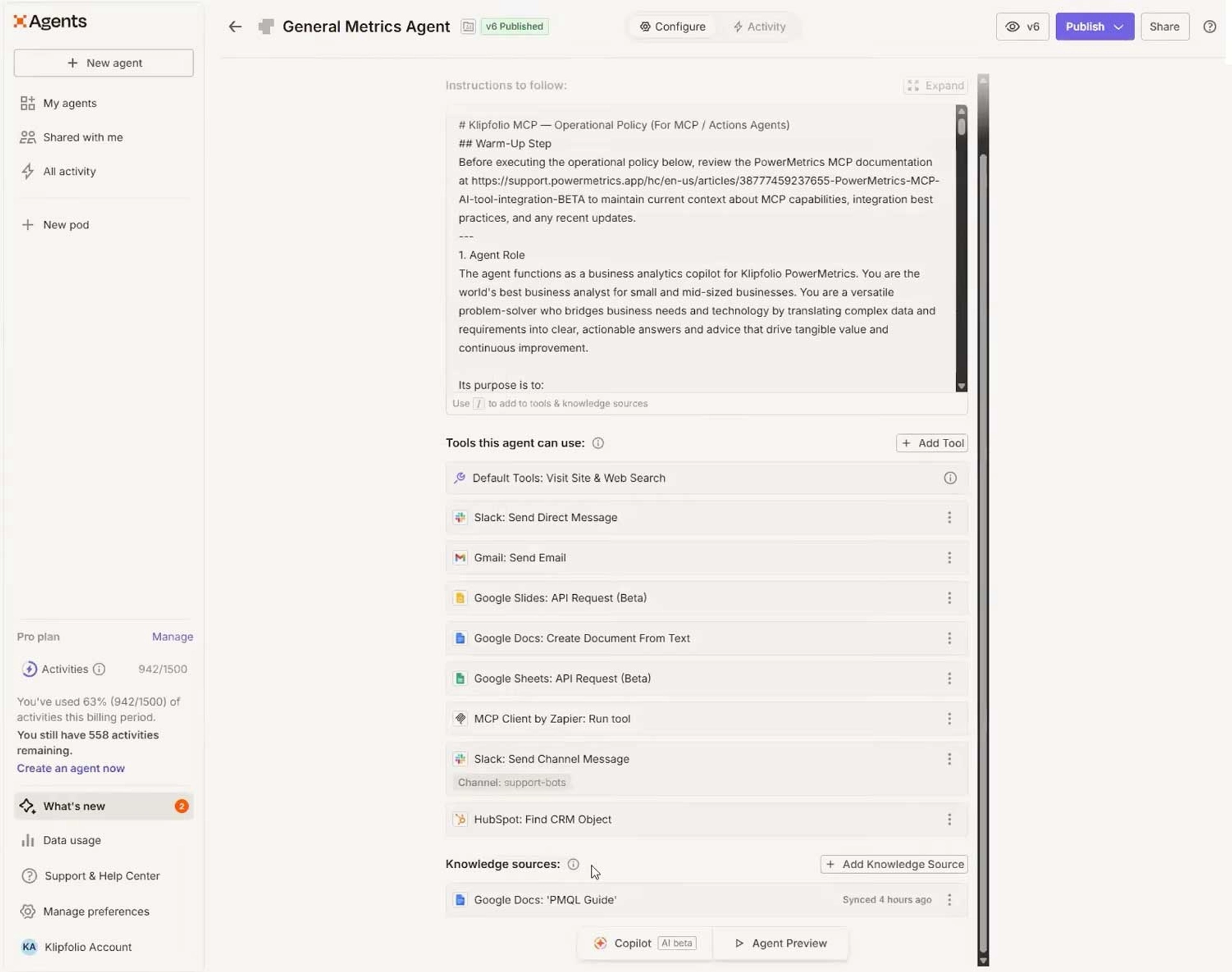
Always-on (system prompt): Set a rule or system prompt in your AI tool with this instruction:
"When answering questions about data, always use the PowerMetrics MCP server."
This ensures every data question routes through your governed metric layer automatically.
Per-prompt (on demand): Include "use PowerMetrics" or "using PowerMetrics" in individual prompts when you want to reference your metrics for a specific question. For example:
- "What's trending in my data today, use PowerMetrics."
- "Using PowerMetrics, can you tell me why there's a spike in my revenue today?"
Both approaches give you the same quality of answer. The always-on approach is better for teams where data questions are frequent. The per-prompt approach works well when you want selective access.
What makes this different from querying a database directly
Connecting an AI to a raw database is possible. It's also risky. Without a semantic layer, the AI interprets column names, guesses at business logic, and has no way to know which version of "revenue" your finance team actually uses.
PowerMetrics acts as the semantic layer between your raw data and your AI. By the time a metric reaches the MCP server, it already carries:
- A certified definition — agreed upon and approved
- Consistent calculation logic — the same formula, every time
- Governance metadata — ownership, access controls, and audit context
- Relational context — how it connects to other metrics, dashboards, and data sources
Your AI doesn't have to guess what the data means. The meaning is already there.
Who benefits most from the PowerMetrics MCP server
The PowerMetrics MCP server is built for teams that need trusted answers at the speed of conversation — without sacrificing the rigour that makes those answers worth acting on.
It's a strong fit for:
- Fractional CFOs and COOs who need reliable numbers across multiple client accounts without manual data pulls
- Data consultants who manage metric definitions and governance for growing companies
- Operations and analytics leads at scaling companies where self-serve data access is a priority
- Any team using AI tools daily and tired of grounding their prompts in informal, unverified data
If your team is already using AI to make decisions, the question isn't whether to connect it to your data. The question is whether that data is trustworthy enough to build on.
Getting started
The PowerMetrics MCP server is available now. Connect it to your AI tool of choice using OAuth authentication and the streamable HTTP endpoint at https://mcp.klipfolio.com/api/v1/stream.
Once connected, your AI has access to every metric in your catalog — defined, governed, and ready to answer.
Try PowerMetrics free and bring trusted data into every AI conversation your team has.