
Consistent Metrics Start Here: Using MetricHQ with PowerMetrics
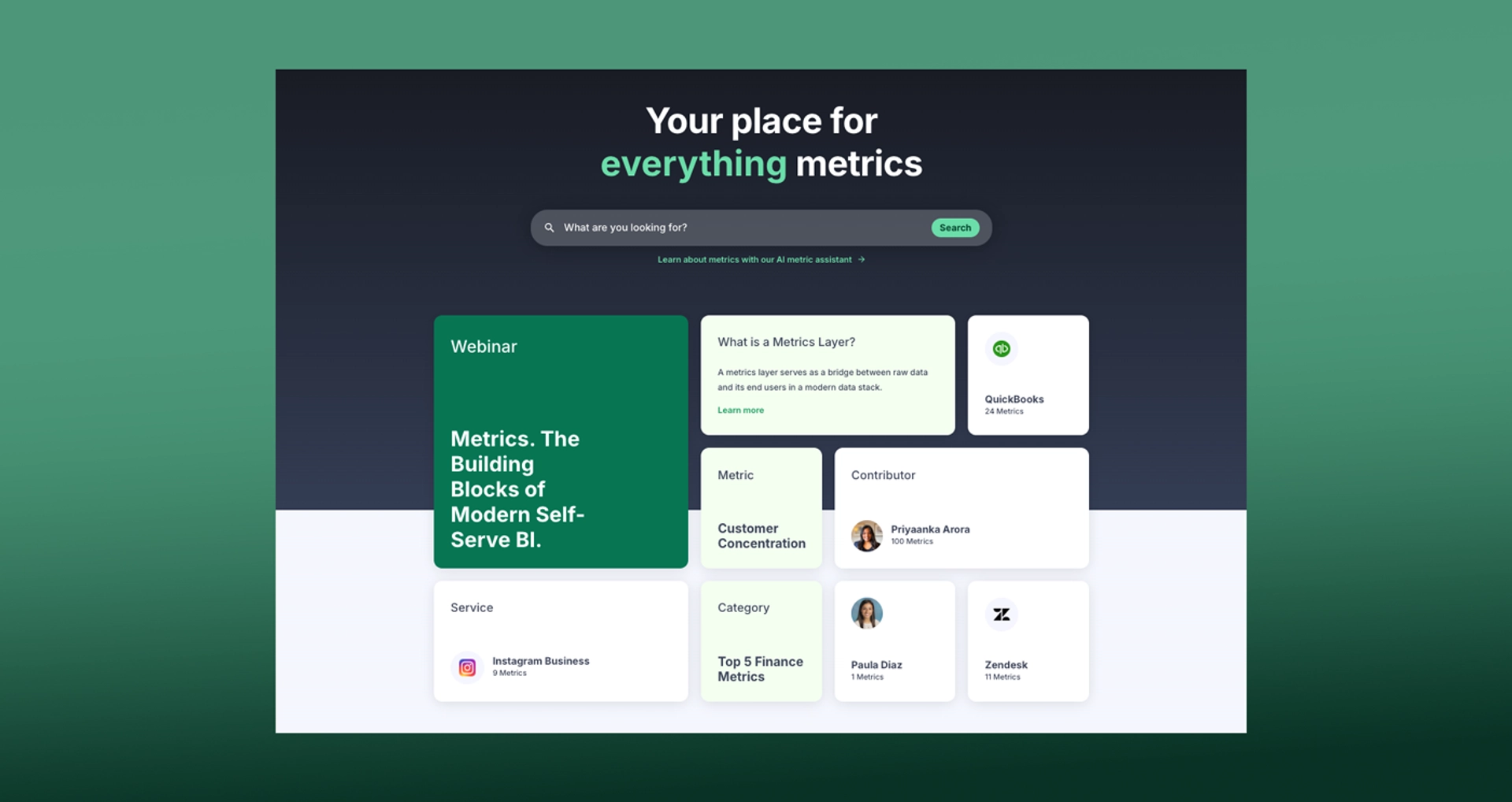
Summary: Metric definitions only work when everyone reads them the same way. MetricHQ provides a shared starting point. PowerMetrics turns those definitions into governed, reusable metrics that your team and AI can trust across dashboards and analysis.
Why consistent metrics matter
When the same term means different things in different reports, decisions slow down. Sales counts a “lead” one way, marketing counts it another way, and finance has a third version in a spreadsheet. Arguments replace answers. Sound familiar?
A shared catalog fixes that. One place to agree on names, formulas, and business rules. One source to reuse in dashboards and analysis. Less debate, more progress.
What MetricHQ provides
MetricHQ is the largest open library of metrics and KPIs. It includes clear definitions, calculations, and practical context contributed by experts. Entries like “Customer Lifetime Value”, “Gross Margin”, or “Cost per Lead” help your team align on language before numbers enter the picture.
Useful links:
- Browse the library: metrichq.org
- Meet the contributors: metrichq.org/contributors
- Ask the AI assistant: metrichq.org/chatbot
How PowerMetrics uses those definitions
PowerMetrics is Klipfolio’s analytics platform for aspirational and growing companies. It helps you build a governed metric catalog, then assemble dashboards from those shared metrics.
A typical path:
- Start with a MetricHQ definition as your baseline.
- Configure the metric in PowerMetrics with your data source, filters, and time settings.
- Certify or tag the metric so people know it is trusted.
- Reuse the same metric across multiple dashboards and audiences.
Result: a single definition, many uses. Changes to the definition flow into every dashboard that uses it, which keeps everything in sync.
Why AI needs definitions and context
AI is powerful, yet it cannot guess your business rules. Without clear definitions, an assistant might blend “Leads” from different systems, misinterpret “Active Customers”, or compare incompatible time frames. Garbage in, guesswork out.
Definitions supply context. Names, formulas, time grains, and links between metrics provide constraints AI can follow. With a well‑described catalog in PowerMetrics, AI can analyze and explain results using the same rules your team agreed on. Answers stay on topic, and guidance reflects your business.
Quick examples
- Marketing: “Cost per Lead (CPL)” means total spend divided by qualified leads in a period. Lock that definition. Publish the metric. Your team builds dashboards while AI explains month‑over‑month changes using the same rule set.
- Finance: “Gross Margin” varies by company. Agree on the exact formula and exclusions. Store it as a certified metric. Everyone, from the CFO to the sales lead, talks about the same number.
- Product: “Active User” definitions often drift. Pick the time window, actions, and minimum thresholds. Document it once, then reuse everywhere.
Rollout checklist
- Define must‑have metrics first: revenue, pipeline, churn, CAC, LTV, active users, retention.
- Use MetricHQ for baseline language and calculation patterns.
- Configure each metric in PowerMetrics: source connections, filters, grain, and default comparisons.
- Add descriptions, owners, tags, and, when ready, certification.
- Replace ad‑hoc calculations in dashboards with governed metrics.
- Share a short glossary page inside your workspace and link to relevant MetricHQ entries.
- Review definitions quarterly to reflect product or pricing changes.


Where to go next
- Explore MetricHQ definitions to align on language: metrichq.org
- Learn how PowerMetrics helps you build a governed metric catalog and dashboards.