
What's new in PowerMetrics: Fall 2025

Summary: Fall 2025 brought a focused set of PowerMetrics updates designed to make your data cleaner, your workspace more organized, and your integrations more secure. Highlights include asset tags for grouping metrics and dashboards, a new blank-value control for more accurate metric summaries, column splitting in the data feed editor, smarter deletion warnings, and updated connectors for Snowflake (key pair authentication) and Shopify (version 2025-10).
Fall is a season for getting your house in order — and that's exactly what this quarter's updates are designed to help you do. From smarter data organization to more control over how your metrics behave, the PowerMetrics team shipped a focused set of improvements that make your data cleaner, your workspace tidier, and your AI knowledge graph sharper. Here are the highlights that landed between October and December 2025, building on the momentum from our Summer 2025 updates.
Get organized with asset tags
If your PowerMetrics account has grown — more metrics, more dashboards, more data feeds — tags give you a practical way to bring order to it all.
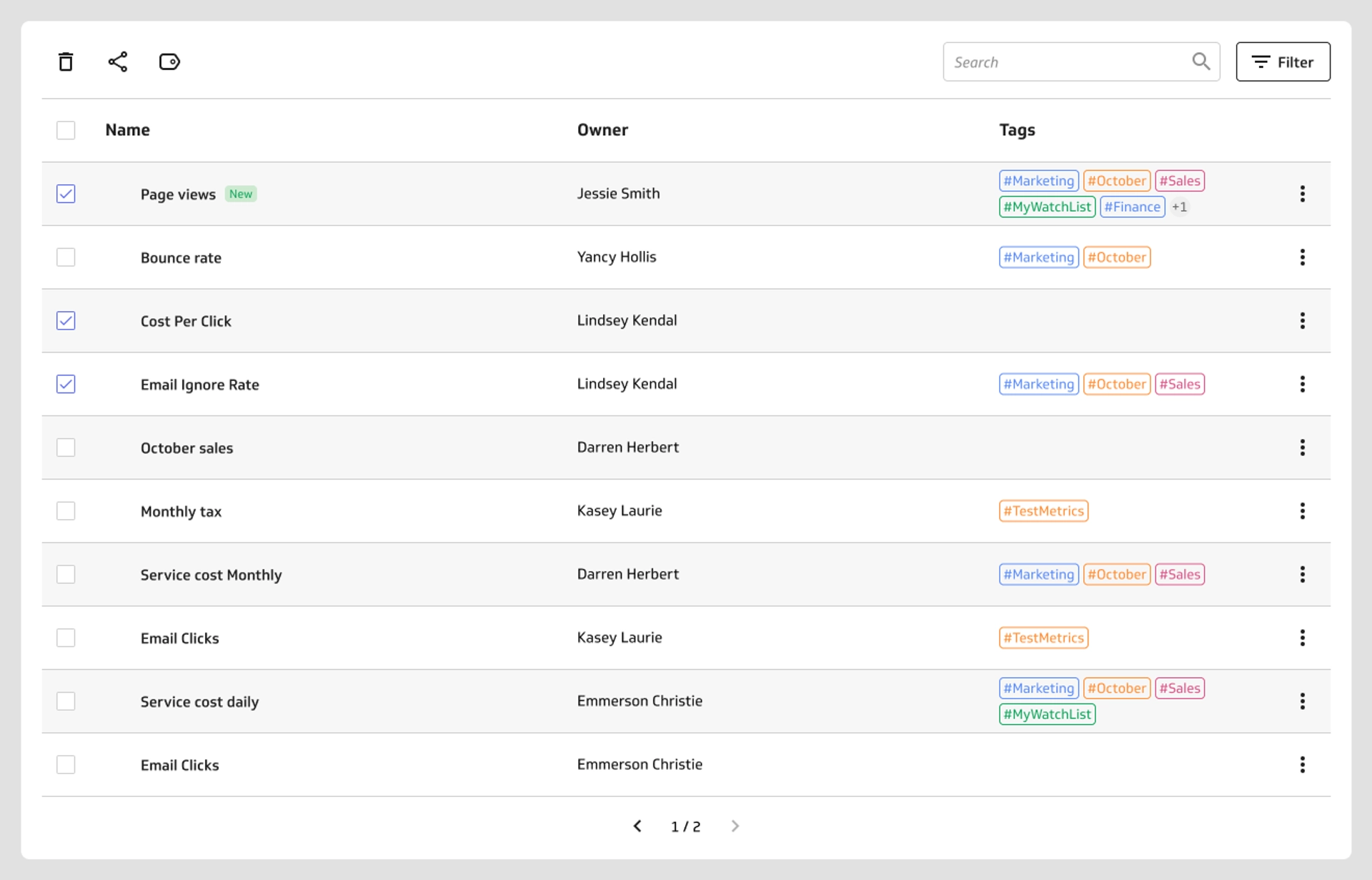
Apply tags to any metric, dashboard, or data feed to group related content by theme, team, or audience. Looking for everything tied to your marketing team? Tag it. Want to surface only the metrics relevant to your executive dashboard? Tag those too. Tags make it faster to find what you need and easier to share the right content with the right people.
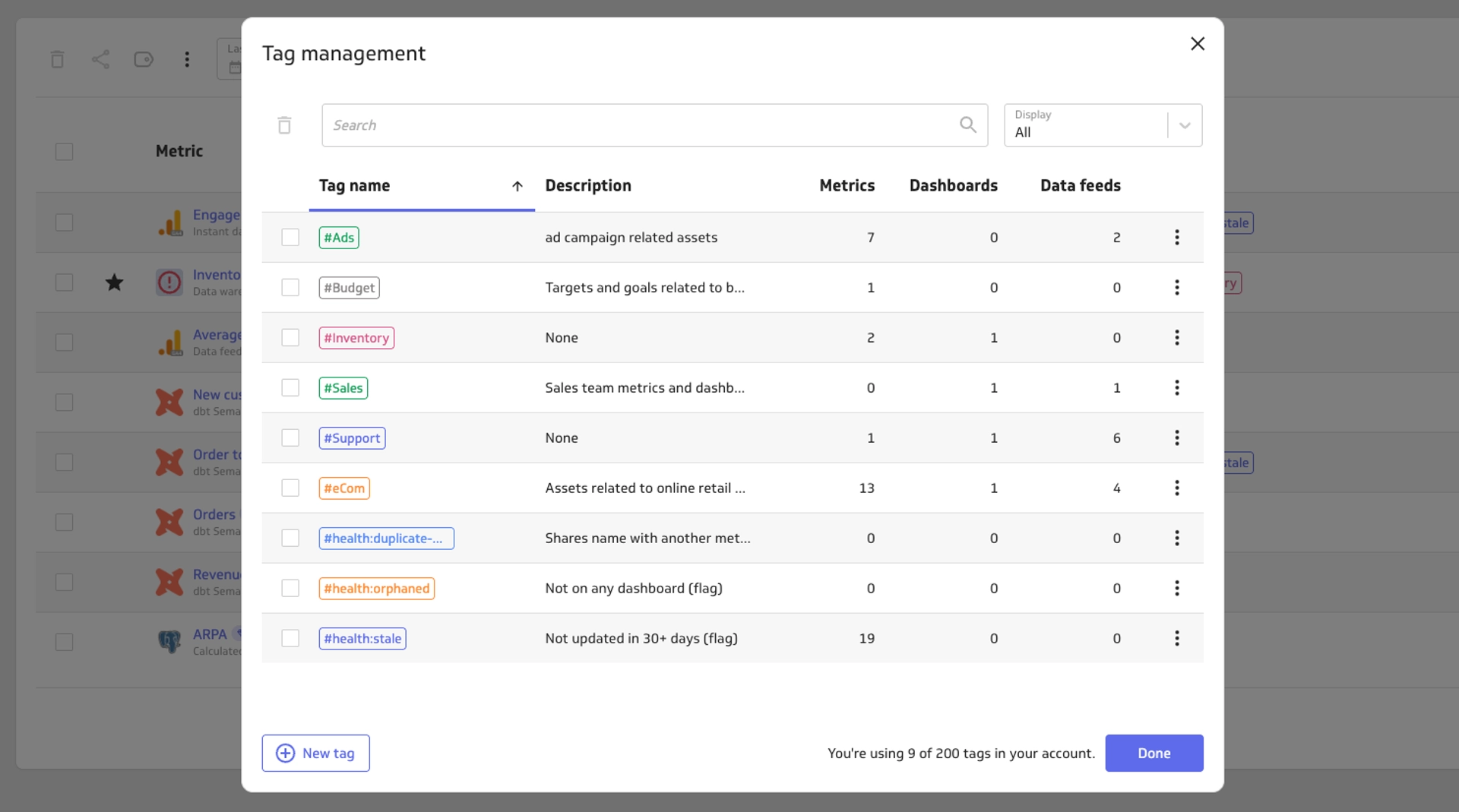
Tags also feed directly into the PowerMetrics AI knowledge graph, adding context that helps your AI assistant understand your data more accurately.
Access and permissions follow your role:
Account Administrators can view and delete tags across the account
Editors can create, edit, and delete tags, and apply or remove them from data feeds, metrics, and dashboards
Contributors can add, remove, and view tags on metrics and dashboards
Viewers can see tags applied to metrics and dashboards
More control over your data
Blank values: zeros or gaps?
Numbers tell a story — but blank values can muddy it. A missing data point might mean zero activity, or it might mean no data was collected at all. Those are two different things, and now you can treat them differently.
A new option lets you choose whether blank values are treated as zeros or left as gaps when your metrics summarize and display data. It's a small toggle with a meaningful impact on how your metrics read and how accurately they reflect reality.
Split one column into many
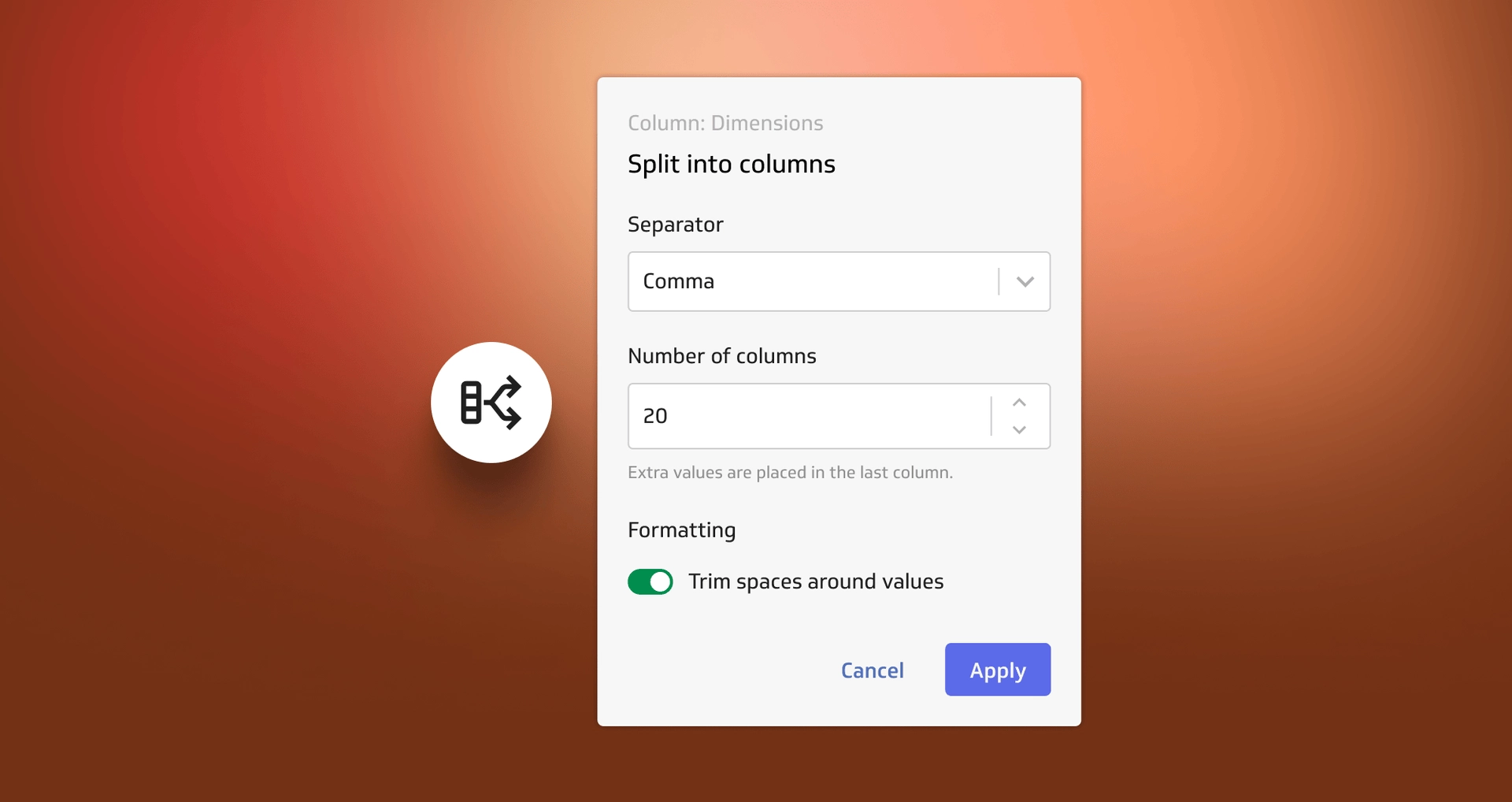
Some data arrives bundled together when it would be more useful apart. A single column might combine multiple dimension values, or pack a full date into one field when you actually need the year, month, and day separately.
The data feed editor now lets you split a single column into multiple columns — either when you first create the data feed or later by editing it. This is especially handy for Google Analytics data feeds, where separated values often map to distinct dimensions.
Know what breaks before you delete
Deleting a data feed used to feel like pulling a thread without knowing what was attached. Now, before you confirm a deletion, PowerMetrics shows you exactly which metrics and merged data feeds depend on it. No more surprises after the fact.
Connector updates
Snowflake: key pair authentication
Snowflake is retiring password authentication, and PowerMetrics is ready. We've updated the Snowflake integration to use key pair authentication — a more secure method that keeps your connection stable as Snowflake completes its transition. If you connect to Snowflake, now is a good time to update your credentials.
Shopify: version 2025-10 support
The PowerMetrics Shopify connector now supports Shopify version 2025-10, keeping your store data current and compatible with the latest Shopify API. You can find the full list of available connectors on the PowerMetrics integrations page.


Wrapping up fall 2025
This quarter's updates are about confidence: confidence that your workspace is organized, your metrics are accurate, and your integrations are secure. Tags, blank value control, column splitting, smarter deletion warnings, and updated connectors all move in the same direction — giving you a data environment you can trust.
Ready to put these features to work? Log in to PowerMetrics and explore what's new, or start a free trial if you haven't yet.